
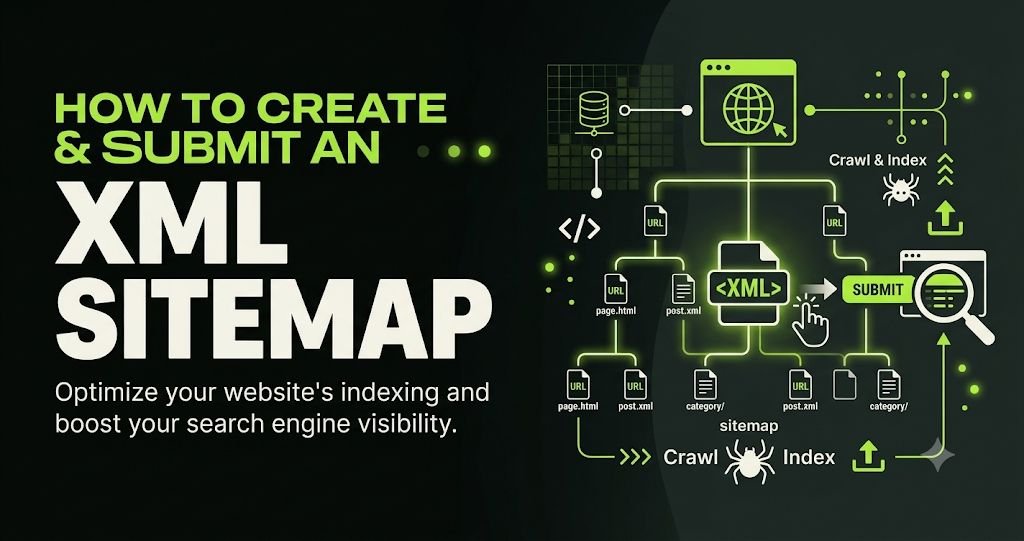
An XML sitemap is an important part of technical SEO because it helps search engines discover the important pages of your website. Whether you manage a business website, an eCommerce store, a healthcare website or a personal blog, creating and submitting an XML sitemap can make your website easier for search engines to crawl and understand.
But how do you create an XML sitemap? Where should you upload it? How do you submit it to Google Search Console? And does having a sitemap guarantee that your pages will appear in Google search results?
In this guide, we will explain how to create and submit an XML sitemap step by step, including practical examples, WordPress methods, Google Search Console submission, common sitemap errors and technical SEO best practices.
What Is an XML Sitemap?
An XML sitemap is a structured file that lists the important URLs of a website that you want search engines to discover. It provides search engines such as Google and Bing with information about the pages, images and other supported content available on your website.
An XML sitemap generally follows the Sitemap Protocol and uses XML (Extensible Markup Language) to organise website URLs in a format that search engine crawlers can understand.
A typical XML sitemap looks like this:
<?xml version="1.0" encoding="UTF-8"?>
<urlset xmlns="http://www.sitemaps.org/schemas/sitemap/0.9">

  <url>
    <loc>https://example.com/</loc>
    <lastmod>2026-11-07</lastmod>
  </url>

  <url>
    <loc>https://example.com/about/</loc>
    <lastmod>2026-11-05</lastmod>
  </url>

  <url>
    <loc>https://example.com/services/</loc>
    <lastmod>2026-11-06</lastmod>
  </url>

</urlset>
Here is what the main XML sitemap elements mean:
- XML declaration: Identifies the document as an XML file and specifies its character encoding.
- urlset: Defines the collection of URLs included in the sitemap.
- url: Represents an individual website URL.
- loc: Contains the absolute URL of a webpage.
- lastmod: Indicates when the page was last significantly updated.
The last modification date should reflect a genuine content change rather than being updated automatically every day.

An XML sitemap helps search engines discover your website’s important pages more efficiently. It is particularly useful for large websites, newly launched websites, websites with complex navigation and websites that publish content regularly.
Although search engines can discover many pages through internal links, a sitemap provides an additional way to communicate which URLs you consider important.
Here are some important SEO benefits.
1. Helps Search Engines Discover Important Pages
Search engines use automated crawlers to discover and process website content. If a page has limited internal links or is difficult to discover through normal navigation, including its URL in an XML sitemap can help search engines find it.
For example, a healthcare website may have separate pages for:
- Dental implant treatments
- Cosmetic surgery services
- IVF treatment information
- Dermatology services
- Cardiologist profiles
- Healthcare blog articles
An organised XML sitemap helps search engines discover these important sections.
2. Supports Website Indexing
Submitting a sitemap through Google Search Console helps Google understand which URLs you want it to consider for crawling.
However, submitting a sitemap does not guarantee that every listed page will be crawled or indexed. Google independently evaluates each page based on its quality, accessibility, canonical signals and other indexing considerations.
3. Useful for Large Websites
Websites with hundreds or thousands of pages can benefit from structured sitemap files.
For example, an eCommerce website might have separate product, category, blog and informational pages. Organising these URLs through sitemap indexes and individual sitemap files can make sitemap management easier.
4. Helps Search Engines Understand Recently Updated Content
The <lastmod> element communicates when a page was last significantly modified.
Accurate modification dates can help search engines identify updated content. This is particularly useful for websites that regularly publish articles, update service information or maintain extensive resource libraries.
5. Supports Image and Video Discovery
Specialised XML sitemap extensions can provide additional information about images and videos.
For example, a medical website may publish educational articles containing original treatment diagrams, clinic photographs and procedure-related images. Image sitemap information can help search engines discover relevant visual content.
Types of XML Sitemaps
Different websites may require different types of sitemaps depending on their content and technical structure.
1. XML Sitemap
A standard XML sitemap lists important website URLs.
Example:
https://example.com/sitemap.xml
It is suitable for most business websites, blogs and service-based websites.
2. XML Sitemap Index
A sitemap index is a file that references multiple sitemap files.
It is particularly useful for large websites that need separate sitemaps for different content types.
Example:
<?xml version="1.0" encoding="UTF-8"?>
<sitemapindex xmlns="http://www.sitemaps.org/schemas/sitemap/0.9">

  <sitemap>
    <loc>https://example.com/page-sitemap.xml</loc>
  </sitemap>

  <sitemap>
    <loc>https://example.com/post-sitemap.xml</loc>
  </sitemap>

  <sitemap>
    <loc>https://example.com/category-sitemap.xml</loc>
  </sitemap>

</sitemapindex>
3. Image Sitemap
An image sitemap provides search engines with additional information about images associated with website content.
It can be useful for photography websites, product websites, healthcare websites and websites where original images contribute to the user experience.
4. Video Sitemap
A video sitemap provides information about video content, including video titles, descriptions, thumbnails and other supported metadata.
It can help search engines discover videos embedded in your website.
5. News Sitemap
A Google News sitemap is designed for publishers participating in Google News. It follows specific requirements and is intended for recently published news articles.
It is not necessary for ordinary business websites or standard blogs.
How to Create an XML Sitemap
There are several ways to create an XML sitemap. The right method depends on your website platform, size and technical requirements.
Let’s explore the most practical methods.
Method 1: Create an XML Sitemap Using WordPress
If your website runs on WordPress, creating an XML sitemap is relatively straightforward.
WordPress has built-in XML sitemap functionality, available through its core sitemap endpoint.
For example:
https://example.com/wp-sitemap.xml
However, many website owners prefer using an SEO plugin to manage their sitemap settings and control which content types are included.
Using Yoast SEO
Follow these steps:
- Log in to your WordPress dashboard.
- Navigate to Plugins and install Yoast SEO if it is not already installed.
- Open the Yoast SEO settings.
- Navigate to the XML sitemaps feature.
- Ensure XML sitemap functionality is enabled.
- Open the XML sitemap link to verify that it works.
A typical Yoast sitemap index URL looks like:
https://example.com/sitemap_index.xml
Depending on your configuration, it may contain separate sitemaps for posts, pages, categories and other content types.
Using Rank Math SEO
Rank Math is another popular WordPress SEO plugin.
To generate an XML sitemap:
- Install and activate Rank Math SEO.
- Complete the initial configuration.
- Navigate to Rank Math SEO settings.
- Open the Sitemap Settings section.
- Enable the sitemap functionality.
- Configure the content types you want to include.
- Save your settings.
- Visit your sitemap URL to verify the output.
A typical Rank Math sitemap URL is:
https://example.com/sitemap_index.xml
Important: Avoid generating multiple conflicting XML sitemaps through different plugins or WordPress systems. Choose one primary sitemap configuration and verify that it contains the correct URLs.
Method 2: Create an XML Sitemap Manually
If you have a small website or prefer managing technical SEO manually, you can create an XML sitemap using a text editor.
Follow these steps:
- Open a text editor such as Notepad or Visual Studio Code.
- Start with the XML declaration.
- Add the required
<urlset>element. - Include the URLs of your important website pages.
- Add accurate last modification dates where available.
- Close the XML elements properly.
- Save the file as
sitemap.xml. - Upload it to your website’s root directory.
Your sitemap should be accessible at:
https://example.com/sitemap.xml
Make sure the XML structure is valid and the listed URLs use the correct HTTPS version of your website.
Method 3: Use an XML Sitemap Generator
You can also use an online XML sitemap generator or a website crawling tool to create a sitemap.
These tools can crawl your website and collect discoverable URLs automatically.
A typical process involves:
- Entering your website’s homepage URL.
- Allowing the crawler to discover internal pages.
- Reviewing the discovered URLs.
- Excluding unwanted URLs.
- Generating the XML sitemap.
- Downloading the sitemap file.
- Uploading it to your website’s root directory.
Before publishing a generated sitemap, review it carefully. Automated tools may discover duplicate URLs, tracking parameters, redirecting pages, search result pages and URLs that should not be indexed.
Which Pages Should You Include in an XML Sitemap?
Not every URL on your website belongs in an XML sitemap.
The goal is to include important, indexable and canonical URLs that you want search engines to discover.
For example, a professional services website may include:
- Homepage
- About Us page
- SEO services page
- Local SEO service page
- PPC management page
- Website design and development page
- Important blog articles
- Relevant resource pages
For a healthcare website, the sitemap may include:
- Homepage
- Doctor profile pages
- Specialty service pages
- Clinic location pages
- Treatment information pages
- Educational blog articles
- Frequently asked questions pages
Avoid including:
- URLs that return 404 errors.
- Pages redirected to other URLs.
- URLs blocked from indexing using
noindex. - Duplicate pages.
- Non-canonical URLs.
- Private account pages.
- Internal search result pages.
- URLs containing unnecessary tracking parameters.
A sitemap should represent your preferred, indexable website URLs rather than every URL your website can generate.
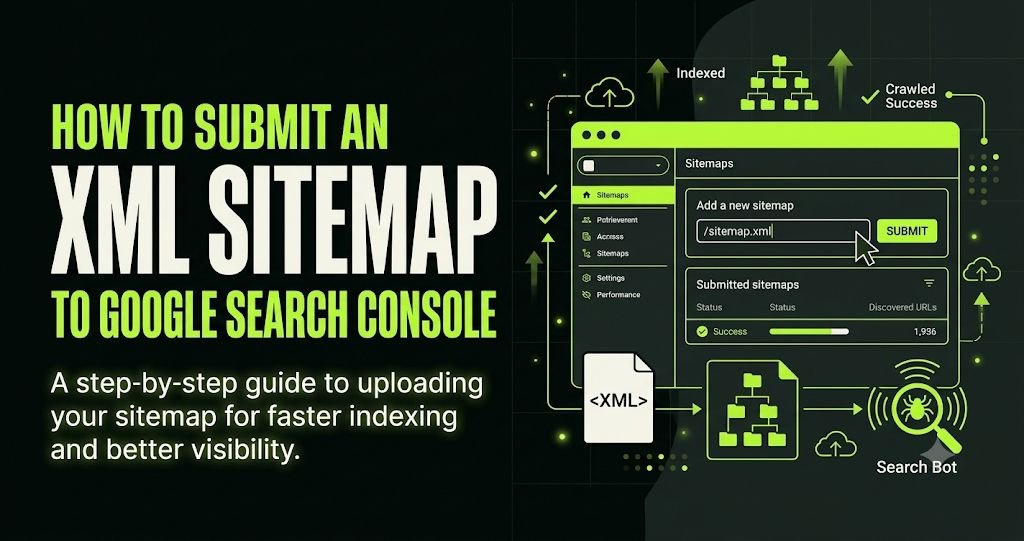
Once your sitemap has been created and uploaded, the next step is to submit it to Google Search Console.
Google Search Console is a free tool that helps website owners monitor search performance, inspect URLs and identify technical indexing issues.
Follow these steps.
Step 1: Open Google Search Console
Visit:
https://search.google.com/search-console/
Sign in using your Google account and select the relevant website property.
If you have not added your website, complete the property verification process first.
Step 2: Open the Sitemaps Section
From the left-hand navigation menu, locate and select Sitemaps under the Indexing section.
You will find a field where you can submit a new sitemap.
Step 3: Enter Your Sitemap URL
Enter the sitemap filename or path in the submission field.
For example:
sitemap_index.xml
Or:
sitemap.xml
The correct sitemap URL depends on the platform and SEO plugin you use.
Step 4: Submit Your Sitemap
Click the Submit button.
Google will attempt to fetch and process your sitemap.
Step 5: Check the Sitemap Status
After submission, review the status shown in Google Search Console.
Common statuses include:
- Success: Google successfully fetched and processed the sitemap.
- Couldn’t fetch: Google could not access or retrieve the sitemap.
- Has errors: Google encountered an issue while processing the sitemap.
You can also review the discovered URL information and investigate any reported errors.
Remember that a successful sitemap submission does not mean all URLs have been indexed.
How to Submit an XML Sitemap to Bing Webmaster Tools
Google is not the only search engine that can use XML sitemaps. Bing Webmaster Tools also allows website owners to submit sitemaps and monitor crawling and indexing information.
Follow these steps:
- Visit https://www.bing.com/webmasters/
- Sign in to your account.
- Add your website if it has not already been configured.
- Complete website verification.
- Open the Sitemaps section.
- Select the option to submit a sitemap.
- Enter your complete sitemap URL.
- Submit it and monitor its processing status.
Submitting your sitemap to multiple search engines can improve discovery opportunities across different search platforms.
How to Add an XML Sitemap to Robots.txt
Your website’s robots.txt file can also reference your XML sitemap.
The sitemap directive helps crawlers discover the sitemap location.
For example:
User-agent: *
Disallow:

Sitemap: https://example.com/sitemap_index.xml
Replace the example URL with your actual sitemap location.
The robots.txt file is generally located in the root directory of your website:
https://example.com/robots.txt
Important: A sitemap directive in robots.txt does not replace sitemap submission through Google Search Console or Bing Webmaster Tools.
Also, robots.txt controls crawler access; it is not a reliable way to prevent a page from being indexed. Use appropriate indexing directives for that purpose.
XML Sitemap Best Practices for Better SEO
Creating a sitemap is only the first step. Maintaining an accurate and technically correct sitemap is equally important.
Consider the following best practices.
1. Include Only Canonical URLs
Every URL in your sitemap should ideally point to its preferred canonical version.
For example, if the canonical URL is:
https://example.com/seo-services/
Avoid including alternative versions such as:
http://example.com/seo-services/
or:
https://www.example.com/seo-services/
when these redirect to the preferred URL.
2. Use HTTPS URLs
If your website uses an SSL certificate, include the HTTPS version of your URLs.
Avoid mixing HTTP and HTTPS URLs in your sitemap.
3. Keep Your Sitemap Updated
Whenever you publish a new blog article or significantly update an important service page, ensure your sitemap reflects the change.
Most WordPress SEO plugins automatically update sitemaps when content changes.
4. Follow Sitemap Size Limits
According to the Sitemap Protocol, an individual sitemap file can contain a maximum of 50,000 URLs and must not exceed 50 MB when uncompressed.
Larger websites should use multiple sitemap files connected through a sitemap index.
5. Use Accurate Last Modification Dates
The <lastmod> value should represent the actual last significant modification of the page.
Avoid changing the date without making meaningful content updates.
6. Avoid Duplicate URLs
Duplicate URLs can create unnecessary crawling and sitemap maintenance issues.
Check for variations involving:
- HTTP and HTTPS.
- WWW and non-WWW.
- Trailing slashes.
- URL parameters.
- Uppercase and lowercase paths where relevant.
7. Validate Your XML Sitemap
Before submission, check that your sitemap:
- Uses valid XML formatting.
- Contains accessible URLs.
- Returns an HTTP 200 response.
- Does not contain unwanted redirects.
- Does not list noindex pages.
- Uses the correct canonical URLs.
8. Monitor Sitemap Reports Regularly
Review Google Search Console periodically to identify sitemap fetching problems, indexing issues and unexpected changes in discovered URLs.
A sitemap should be treated as part of your ongoing technical SEO maintenance.
Common XML Sitemap Errors and How to Fix Them
Even a correctly generated sitemap can experience technical issues. Understanding common errors can help you resolve them quickly.
1. Sitemap Could Not Be Fetched
Possible causes:
- Incorrect sitemap URL.
- Server connectivity issues.
- Incorrect file permissions.
- Server returning an error.
- Sitemap blocked by security rules.
How to fix it:
Open the sitemap URL directly in your browser. Check the server response, confirm that the file is publicly accessible and verify that Googlebot is not being blocked.
2. XML Sitemap Contains 404 URLs
This happens when the sitemap references pages that no longer exist.
How to fix it:
Remove deleted URLs from the sitemap or restore the intended page if appropriate. Review internal links and update any references pointing to deleted content.
3. Sitemap Contains Redirected URLs
A sitemap should generally list the final destination URLs rather than URLs that redirect elsewhere.
How to fix it:
Replace redirected URLs with their final canonical destinations.
4. Sitemap Contains Noindex Pages
A noindex page should generally not appear in your XML sitemap because the sitemap communicates which pages you want search engines to consider for indexing.
How to fix it:
Remove noindex URLs from the sitemap and review your SEO plugin’s sitemap settings.
5. Sitemap URL Is Blocked in Robots.txt
If crawler access to the sitemap is restricted, search engines may be unable to retrieve it.
How to fix it:
Review your robots.txt rules and ensure that the sitemap file is accessible to search engine crawlers.
6. Incorrect XML Formatting
Missing closing tags, incorrect namespaces or invalid characters can cause XML parsing errors.
How to fix it:
Validate your sitemap structure, correct the XML syntax and resubmit the updated file.
Does an XML Sitemap Guarantee Google Indexing?
No. Submitting an XML sitemap does not guarantee that Google will crawl or index every listed URL.
A sitemap is a discovery signal, not an indexing guarantee.
Google considers several factors when deciding whether to index a page, including:
- Content quality and usefulness.
- Website accessibility.
- Internal linking structure.
- Canonicalisation signals.
- Duplicate content.
- Robots directives.
- Overall page experience and technical accessibility.
For example, a healthcare website might include 100 treatment-related pages in its XML sitemap. However, if some pages contain very little original information, duplicate existing content or have technical indexing restrictions, Google may choose not to index them.
For better results, combine sitemap management with useful content, clear internal linking, proper canonical tags and regular technical SEO audits.

As search behaviour evolves, websites need to make their content accessible, organised and understandable to search engines and other discovery systems.
Generative Engine Optimisation (GEO) focuses on improving how useful website information can be discovered, interpreted and referenced by AI-powered search and answer experiences.
An XML sitemap can support the technical discoverability of your website by providing a structured list of important URLs. However, it is not a direct guarantee of visibility in AI-generated answers.
For stronger technical and content foundations, consider these practices:
1. Maintain a Clear Website Structure
Organise your website into meaningful categories and subcategories.
For example, a healthcare website could have separate sections for doctors, medical specialties, treatments and educational articles.
2. Publish Helpful and Original Content
Create informative pages that directly answer users’ questions.
Use descriptive headings, practical examples and reliable references wherever appropriate.
3. Strengthen Internal Linking
Connect relevant pages using descriptive anchor text.
For example, an article about technical SEO can link naturally to your SEO services page, while a website development article can reference your website design and development services.
4. Maintain Accurate Structured Data
Use appropriate schema markup, such as Article, BreadcrumbList, Organization and LocalBusiness where applicable.
Structured data can help search engines interpret page information, but it does not guarantee rich results or AI citations.
5. Keep Important Information Accessible
Ensure that your important website content is available to search crawlers and does not depend entirely on inaccessible interactive elements.
A properly configured sitemap, a logical internal linking structure and technically accessible content provide a stronger foundation for search discovery.
Frequently Asked Questions About XML Sitemaps
1. What is an XML sitemap in SEO?
An XML sitemap is a structured file that lists important website URLs to help search engines discover content. It can also provide additional information, such as the last significant modification date of a page.
2. How do I create an XML sitemap for my website?
You can create an XML sitemap using WordPress SEO plugins such as Yoast SEO or Rank Math, use an online sitemap generator, or manually create an XML file and upload it to your website’s root directory.
3. How do I find my website’s XML sitemap?
Try visiting common sitemap URLs such as /sitemap.xml, /sitemap_index.xml or /wp-sitemap.xml. The correct URL depends on your website platform and configuration. You can also check your robots.txt file.
4. How do I submit an XML sitemap to Google?
Sign in to Google Search Console, select your website property, open the Sitemaps section, enter your sitemap URL and click Submit. Monitor the processing status after submission.
5. Is an XML sitemap necessary for every website?
Google can discover many websites without a sitemap. However, a sitemap is particularly useful for large websites, newly launched websites, websites with complex structures and websites containing content that may be difficult to discover through internal links.
6. Does submitting a sitemap improve Google rankings?
Submitting an XML sitemap does not directly guarantee higher rankings. It helps search engines discover URLs, but rankings depend on many other factors, including content relevance, quality, competition, website authority and technical SEO.
7. How often should I update my XML sitemap?
Your sitemap should update whenever important content is added, removed or significantly modified. Most modern WordPress SEO plugins handle these updates automatically.
8. Can I submit multiple XML sitemaps to Google?
Yes. You can submit multiple sitemap files through Google Search Console. You can also submit a sitemap index that references multiple individual sitemap files.
9. Should noindex pages be included in an XML sitemap?
Generally, no. A sitemap should list canonical URLs that you want search engines to consider for indexing. Pages carrying a noindex directive should normally be excluded.
10. What is the difference between HTML and XML sitemaps?
An HTML sitemap is primarily designed to help website visitors navigate your content. An XML sitemap is structured for search engine discovery and provides information about website URLs.
Final Thoughts
Creating and submitting an XML sitemap is an important part of maintaining a technically organised website. It helps search engines discover important pages, understand your website structure and identify updated content.
Whether you use WordPress, a custom-built website or an eCommerce platform, make sure your sitemap contains accurate, canonical and indexable URLs.
However, remember that sitemap submission alone is not a complete SEO strategy. You should also focus on technical SEO, website performance, content quality, internal linking, structured data and regular indexing checks.
If your website has crawling issues, indexing problems or an incorrectly configured sitemap, a technical SEO audit can help identify and resolve the underlying issues.
Need help improving your website’s search visibility?
Explore professional SEO and website development services at VipinNirwal.com.
